
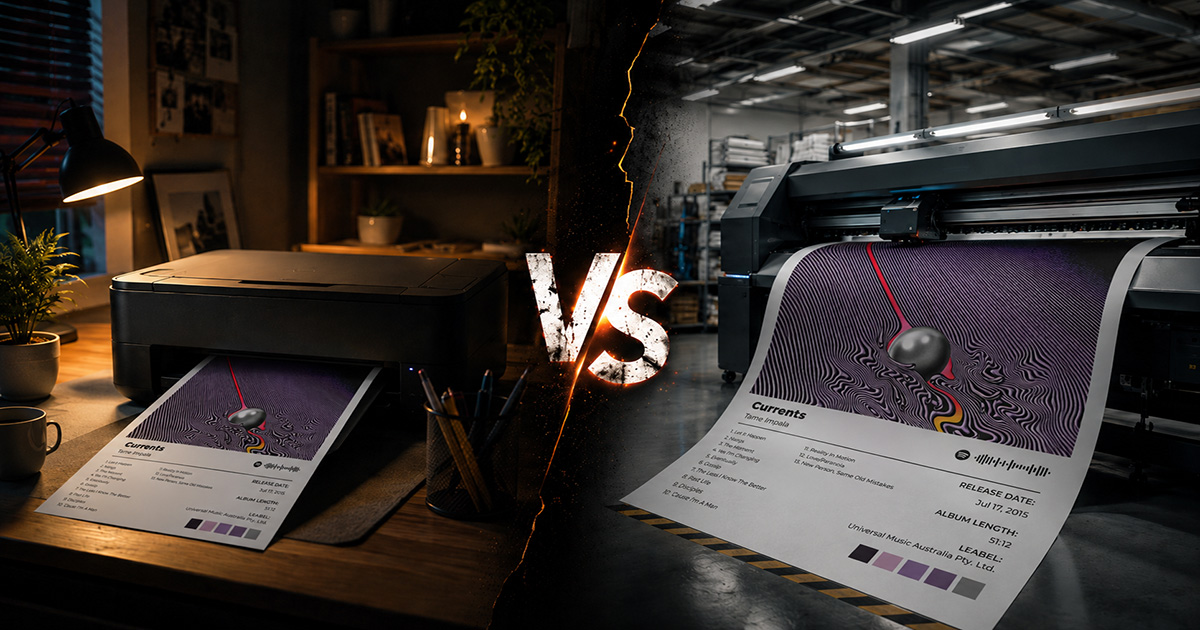
How to Print Your Album Poster at Home vs. Print Shop
You've designed your album poster. Now comes the decision that determines whether it ends up looking like wall art or a school project: where you print it.
Home printing is immediate and free (if you already have a printer). Print shop printing is slower and costs money. But the gap in quality, size options, and paper choices is significant — and the right answer depends entirely on what you're making and why.
This guide walks through both options honestly.
Home Printing: When It Makes Sense
What home printing actually looks like
Most people have inkjet printers at home. Consumer inkjet printers — the $80–200 models from HP, Canon, and Epson — are designed for documents, occasional photos, and crafts. They're capable of printing album posters, but with significant constraints.
What home printers do well:
- A4 (8.3×11.7") and Letter (8.5×11") size — standard output
- Quick turnaround — print immediately, no waiting
- Zero additional cost if you have ink and paper
- Testing designs before committing to a professional print
What home printers don't do well:
- Anything larger than A3 (most home printers cap at A4/Letter)
- Fine color accuracy — consumer printers don't hold the same color precision as professional equipment
- High-volume printing — ink costs add up, cartridges run out
- Consistent results — home printers can vary between print runs
The paper problem
Standard 80gsm office paper looks terrible for posters. The paper is thin, the colors look washed out, and it feels flimsy when framed. If you're printing at home, invest in better paper:
Recommended home printing paper:
- Photo matte paper (170–200gsm) — significant improvement over office paper. Warm, non-reflective. Best for album poster aesthetics.
- Glossy photo paper — vivid colors but reflective. Works for some designs, feels too digital for vinyl-aesthetic posters.
- Silk/luster photo paper — slight sheen without full gloss. Good compromise.
You can find Canon, Epson, or Ilford matte photo paper at most photography or office supply stores.
Home printing cost breakdown
| Item | Cost |
|---|---|
| A4 office paper (per sheet) | $0.01 |
| A4 matte photo paper (per sheet) | $0.30–0.80 |
| Ink per A4 print | $0.20–0.80 (varies significantly) |
| Total per A4 print | $0.50–1.60 |
At A4 on matte paper with a decent inkjet, you can produce a passable album poster for under $2. At A3, costs roughly double and quality begins to show the limitations of consumer printers more clearly.
When to choose home printing
- Testing a design before ordering professionally
- Quick prints for immediate display
- Small sizes (A4/Letter or smaller)
- When you specifically want the handmade, slightly imperfect quality of home printing
Print Shop Printing: What You Get for the Money
Professional printing output
Print shops use large-format inkjet or laser printers with precision color calibration, archival inks, and a wide selection of paper stocks. The quality difference compared to home printing is immediately visible:
- Sharper detail — professional printers have higher DPI capability and more precise ink placement
- More accurate color — calibrated to maintain color consistency across prints
- Larger sizes — up to A0 (33×47") and beyond at most shops
- Better paper options — fine art papers, heavy stocks, canvas
Types of print shops
High street / local print shops (e.g., FedEx/Kinkos, Staples, local printers)
Walk in, hand over your file, pick up same day or next day. Affordable but limited paper selection. Good for fast, practical results. Standard poster paper (usually matte coated, 150–200gsm) is their default.
Online print services
Order online, delivered to your door. Wider paper selection, often lower per-print cost than local shops, but you wait 3–10 days. Good options:
- US: Printful, Printify, Nations Photo Lab, Mpix, Posterburner
- UK/EU: Photobox, Snapfish, CEWE, Printed.com
- Global: Vistaprint (wide availability, average quality)
Fine art print labs
Specialist services for archival quality prints. Giclée printing on museum-quality paper. Most expensive option, but produces results indistinguishable from gallery prints. Good for: large feature wall pieces, premium gifts, anything you want to last decades.
Professional printing cost breakdown
| Size | Local Shop | Online Service | Fine Art Lab |
|---|---|---|---|
| A4 | $3–8 | $2–5 | $10–20 |
| A3 | $5–12 | $4–10 | $15–35 |
| A2 | $10–25 | $8–20 | $30–70 |
| 18×24" | $12–30 | $10–25 | $35–80 |
| 24×36" | $20–50 | $15–40 | $60–150 |
Prices vary significantly by location and service. These are approximate ranges.
When to choose a print shop
- Any size larger than A3
- When you want the poster to last and look genuinely good
- Gifts — a professionally printed poster is immediately distinguishable from a home print
- Feature wall pieces where quality matters
- When you want paper options beyond what your home printer can handle
File Preparation: Different Requirements for Each
For home printing
Your home printer software handles most settings. In PosterVibe:
- Export as PDF or JPEG
- Resolution: 150 DPI is sufficient for A4 home printing
- Color mode: RGB (home printers work in RGB)
When printing, select:
- "Actual size" or "100%" — don't let the printer scale your design
- Highest quality print mode in your printer's settings
- The correct paper type setting for your paper (matte, glossy, etc.)
For print shops
- Export as PDF (required by most print shops)
- Resolution: 300 DPI (mandatory — shops will reject low-res files)
- Color mode: CMYK (prevents color shifts during conversion)
- Include bleed (3mm) for any design that runs to the edge
- Ask the shop for their specific file specifications before exporting — requirements vary
Side-by-Side Comparison
| Factor | Home Printing | Print Shop |
|---|---|---|
| Cost per print | $0.50–3 | $5–50+ |
| Max size | Usually A4/A3 | A0 and beyond |
| Quality | Good (limited) | Excellent |
| Color accuracy | Variable | Consistent |
| Paper choices | Limited | Wide selection |
| Turnaround | Immediate | 1 day–2 weeks |
| Setup | Own printer required | Walk in or upload |
| Best for | Testing, small prints | Final output, gifts, large format |
Our Recommendation
For A4 posters you want now: Home printing on matte photo paper. Fast and cheap, good enough for casual display.
For A3 and above, or anything you want to last: Use a print shop. The quality jump is worth the cost, and you get size and paper options that home printing simply can't match.
For gifts: Always use a print shop. The professional quality is immediately apparent and makes the gift feel more considered.
FAQ
Can I use a print service at a pharmacy or supermarket?
Many pharmacies (Walgreens, CVS, Boots) have photo printing services. They're designed for photos (6×4", 5×7"), not posters. Quality for a full A3 or larger design is generally poor. Stick to dedicated print shops.
What should I say when I walk into a print shop?
"I have a PDF at 300 DPI in CMYK. I'd like this printed at [size] on matte paper." That's all they need. If they ask about bleed, say "3mm bleed is included."
How do I know if my file is the right DPI?
Export from PosterVibe at 300 DPI and the file will contain the correct resolution metadata. You can also check in Adobe Acrobat (Document Properties → Description) or by asking the print shop to preflight the file.
Is online printing cheaper than local shops?
Usually, yes — especially for standard sizes. But you wait for shipping. For a time-sensitive gift or project, local shops are worth the premium.
Export a print-ready PDF from PosterVibe →
Ready to Create Your Own?
Put these ideas into practice with our album poster maker, or explore the album cover poster maker, spotify poster maker, tracklist poster maker.