
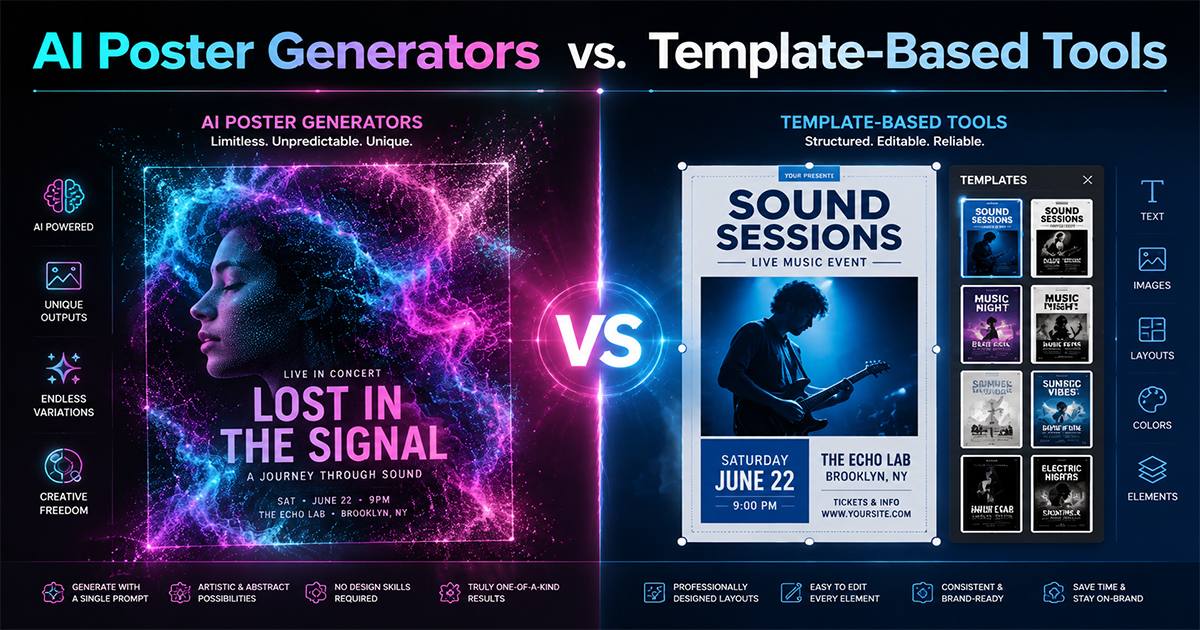
AI Poster Generators vs. Template-Based Tools: Pros and Cons
Should you use an AI poster generator or a template-based tool? We compare control, speed, consistency, and quality — and explain which wins for music posters.
"AI generator" is the buzzword of the moment, and poster tools are no exception. But for making something specific — like an album poster — is an AI generator actually better than a good old template-based tool? Not always. They solve the problem in fundamentally different ways.
Here's an honest pros-and-cons comparison so you can pick the right approach.
How Each One Works
AI poster generators take a text prompt ("make me a moody jazz poster") and produce an image from scratch. The output is generative and often unpredictable.
Template-based tools give you a pre-designed, editable layout. You drop in your content — cover art, title, tracklist — and adjust. The structure is fixed; the content is yours.
The core trade-off: AI offers novelty and surprise; templates offer control and consistency.
AI Poster Generators
Pros
- Fast inspiration. Great for exploring unexpected looks you wouldn't have designed yourself.
- No design skills needed to get something.
- Unique, one-off visuals that don't look templated.
Cons
- Unpredictable. You might prompt ten times before getting something usable.
- Hard to edit precisely. Want to move the title 10px or fix one word? AI often can't do surgical edits — you re-roll the whole image.
- Text is unreliable. AI image models frequently garble track names, artist spellings, and dates.
- No real data. It won't pull an accurate tracklist or release year — it invents plausible-looking nonsense.
- Inconsistent output. Making a matching series (same look, five albums) is very hard.
Template-Based Tools
Pros
- Precise control. Every element is editable, exactly where you want it.
- Accurate text and data. Your tracklist, title, and year are correct because you (or the tool's data source) supply them.
- Consistency. Reuse a template across multiple posters for a uniform look.
- Predictable quality. A well-designed template looks good every time.
Cons
- Less novelty. You're working within a designed structure.
- Can feel "templated" if you don't customize.
- Requires good templates. The output is only as good as the template library.
The Hybrid Sweet Spot
The best modern tools blend both. PosterVibe, for instance, is template-based for structure and accuracy — it pulls the real cover art, tracklist, and metadata from Spotify and lays them out in professionally designed templates — while still giving you full control to customize colors, fonts, layout, and backgrounds.
That combination matters for music posters specifically, because the two things AI is worst at — accurate text and real metadata — are exactly what an album poster lives or dies on. A poster with a misspelled track or wrong year is useless, no matter how striking the image.
Which Should You Use?
| Your goal | Better approach |
|---|---|
| Brainstorm wild visual ideas | AI generator |
| Accurate album poster with real tracklist | Template-based |
| A matching series across albums | Template-based |
| A one-off abstract art piece | AI generator |
| Print-ready, precise, correct text | Template-based |
The Verdict
AI generators are fantastic for inspiration and one-off abstract art. But for an album poster — where the tracklist must be right, the cover art must be the real one, and you may want a consistent series — a template-based tool wins on control, accuracy, and reliability.
Use AI to dream. Use templates to ship something correct.
Make an accurate album poster with real data →
AI or templates — which camp are you in? Tell us in the community.
Ready to Create Your Own?
Put these ideas into practice with our album poster maker, or explore the album cover poster maker, spotify poster maker, tracklist poster maker.